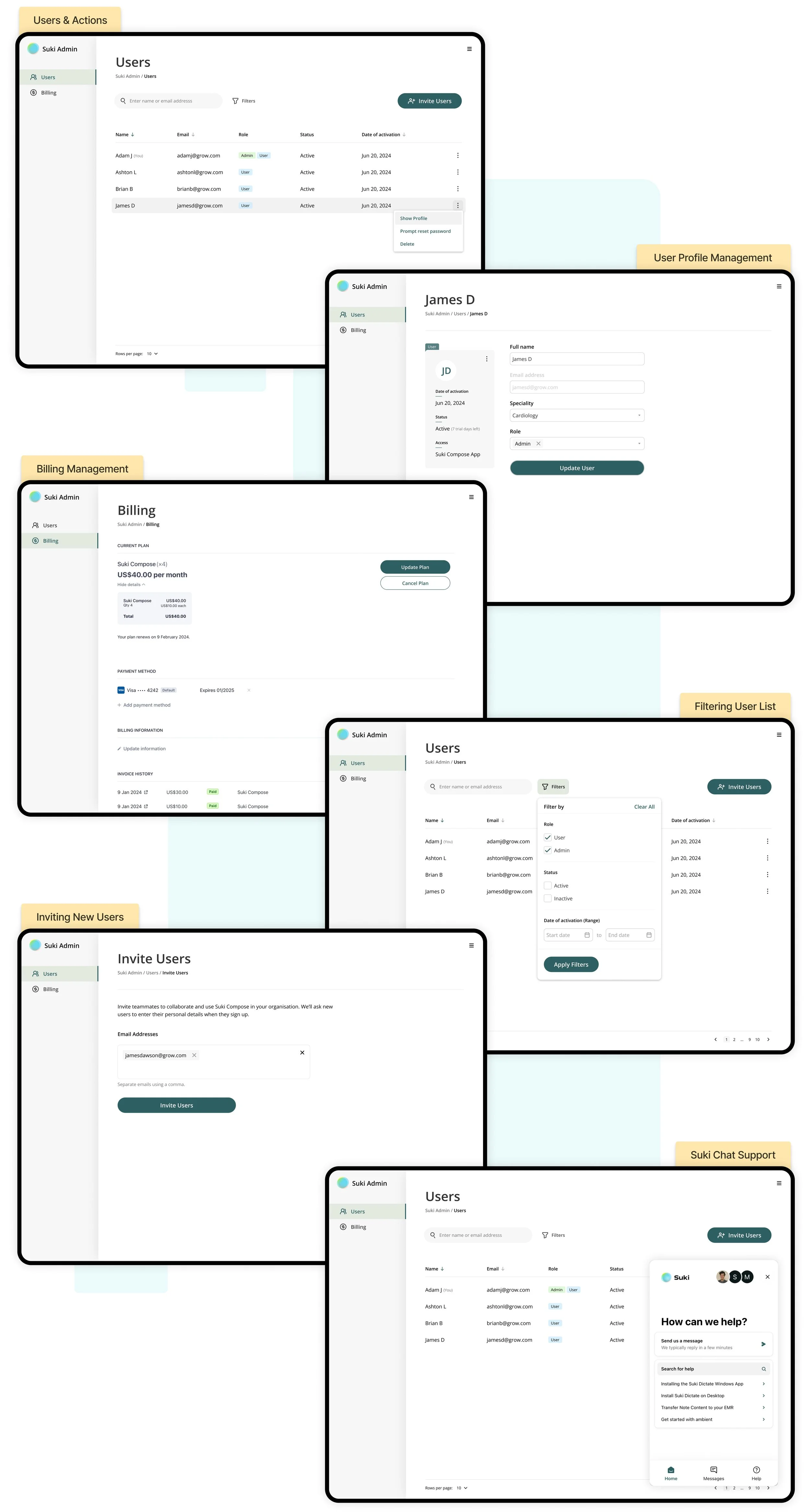
Suki Admin 2.0 : A scalable, self-serve platform
Suki primarily only served large health systems with products like Suki Dictate and Suki Assistant. The current admin panel, built as a temporary solution to manage these orgs, is outdated, inefficient, and requires Suki’s internal teams to manually handle all administrative tasks. As Suki now expands to serve smaller healthcare providers with Suki Compose, a self-serve admin experience is essential.
This project aims to create a new Suki Admin Panel that is a centralized, intuitive dashboard where organizations can independently manage users and payments. The new platform will reduce reliance on Suki’s Customer Success team, improve scalability, and lay the foundation for an enterprise-level admin console that supports organizations of all sizes.
My Role
Led the design process through UX/UI design and UX writing.
Timeline
3-4 weeks
Impact
Fewer Support tickets: Only 16% of Compose admins contacted the Customer Success team during their first month of use.
Background
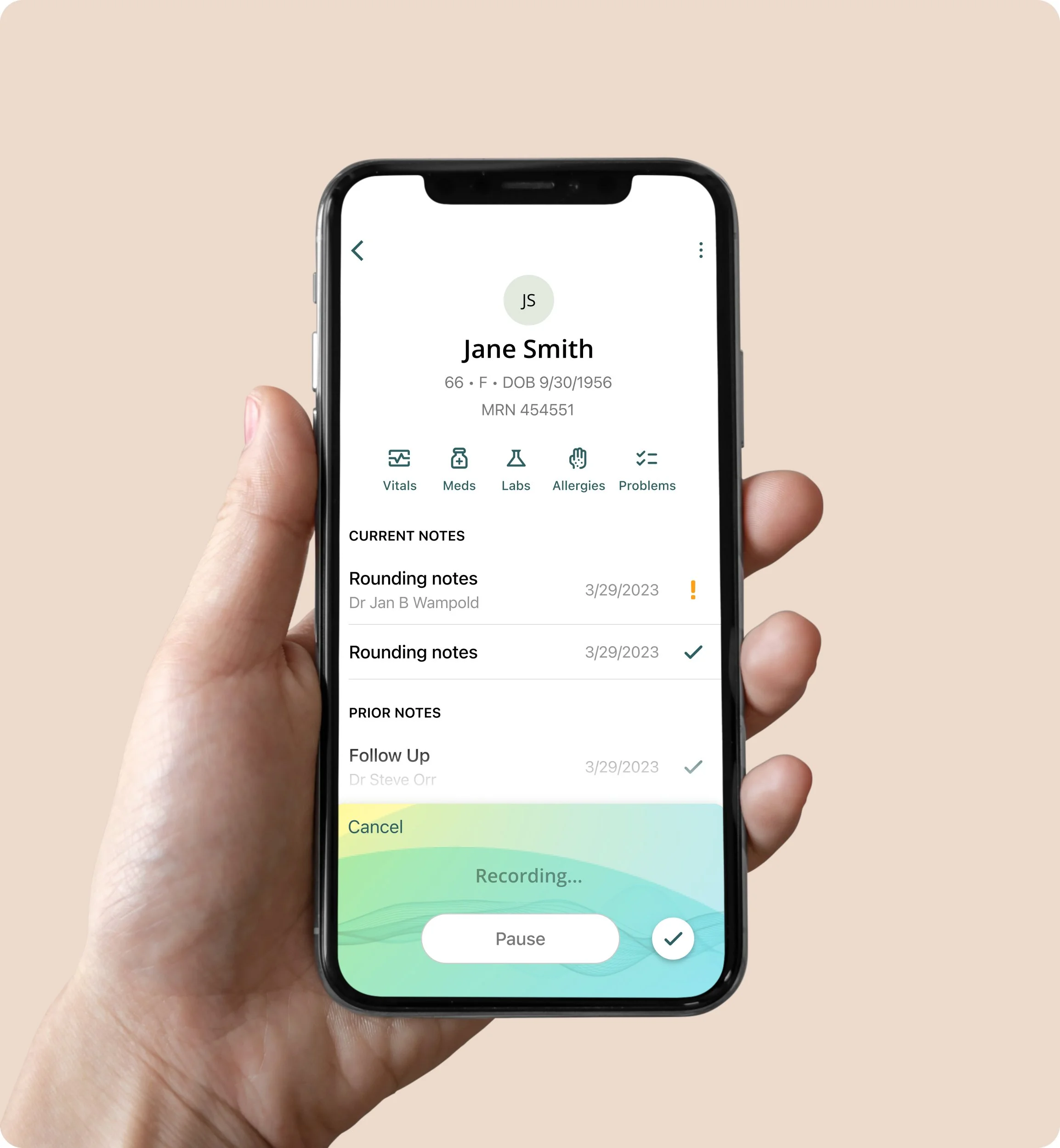
Suki is a voice-enabled AI assistant designed to lift the administrative burden from clinicians in the US. Suki originally focused on serving large health systems with products such as Suki Dictate and Suki Assistant. The existing admin panel, built early on by the tech support team, is outdated and highly inefficient, requiring Suki staff to manually manage user accounts, payments, and data integrations for these organizations. As the company grows and onboards more customers, minimizing internal administrative work is becoming increasingly important. With the development of Suki Compose, a streamlined version of Suki Assistant for smaller healthcare providers, Suki now aims to deliver a fully self-service administrative experience.
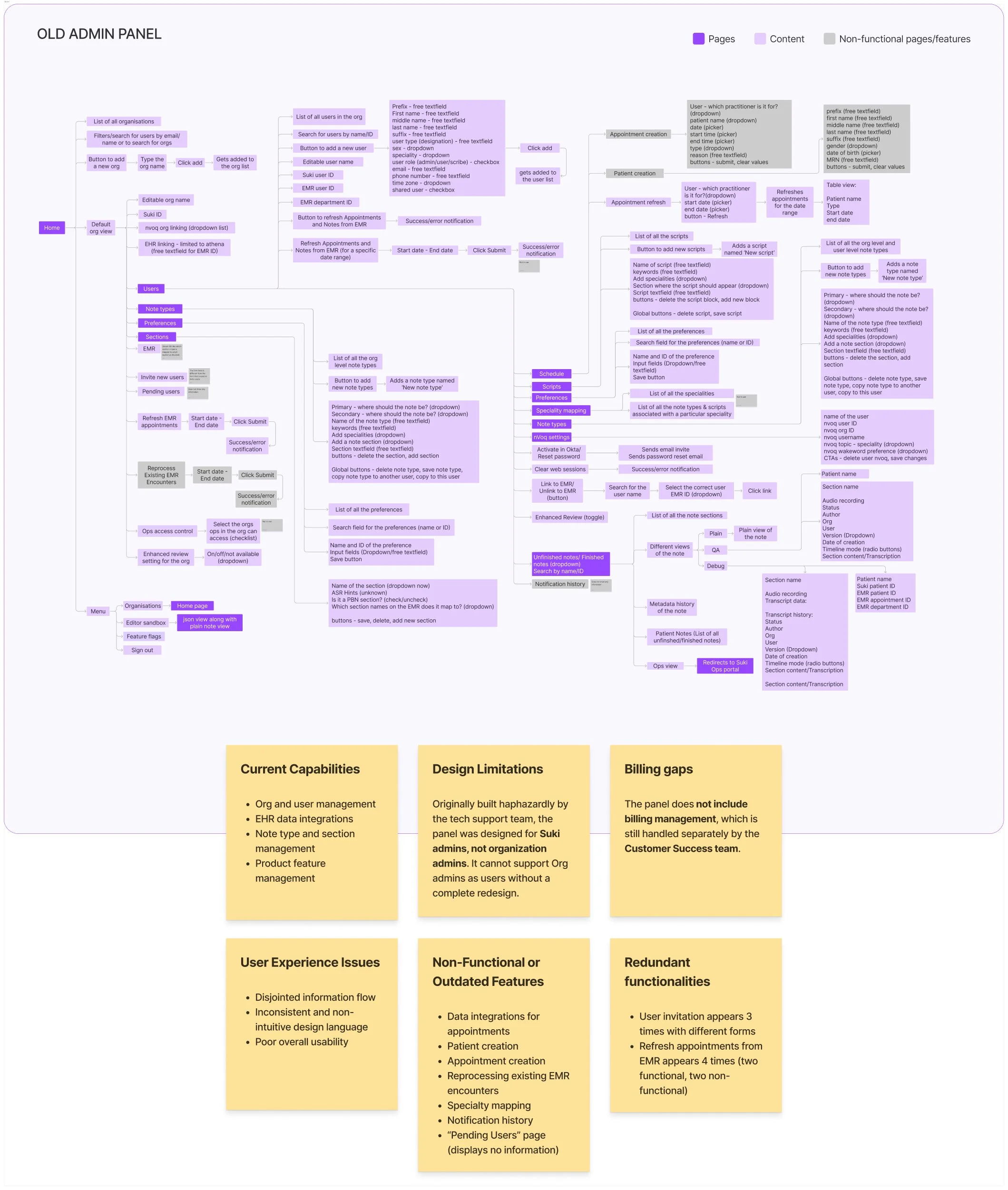
What makes the old Admin inefficient?
Developed as a makeshift solution by the Tech Support team, the current admin panel offers a broken and outdated user experience. It contains redundant information and several obsolete features and lacks proper maintenance and ongoing support.
All administrative functions - user management, payments, and EMR integrations are currently handled exclusively by the Suki Customer Success team.
The existing panel does not align with our business objectives. Our goal is to enable a self-serve experience for users, but the current design and functionality are too limited and unreliable for organizations to use directly.
Vision for the New Admin Panel
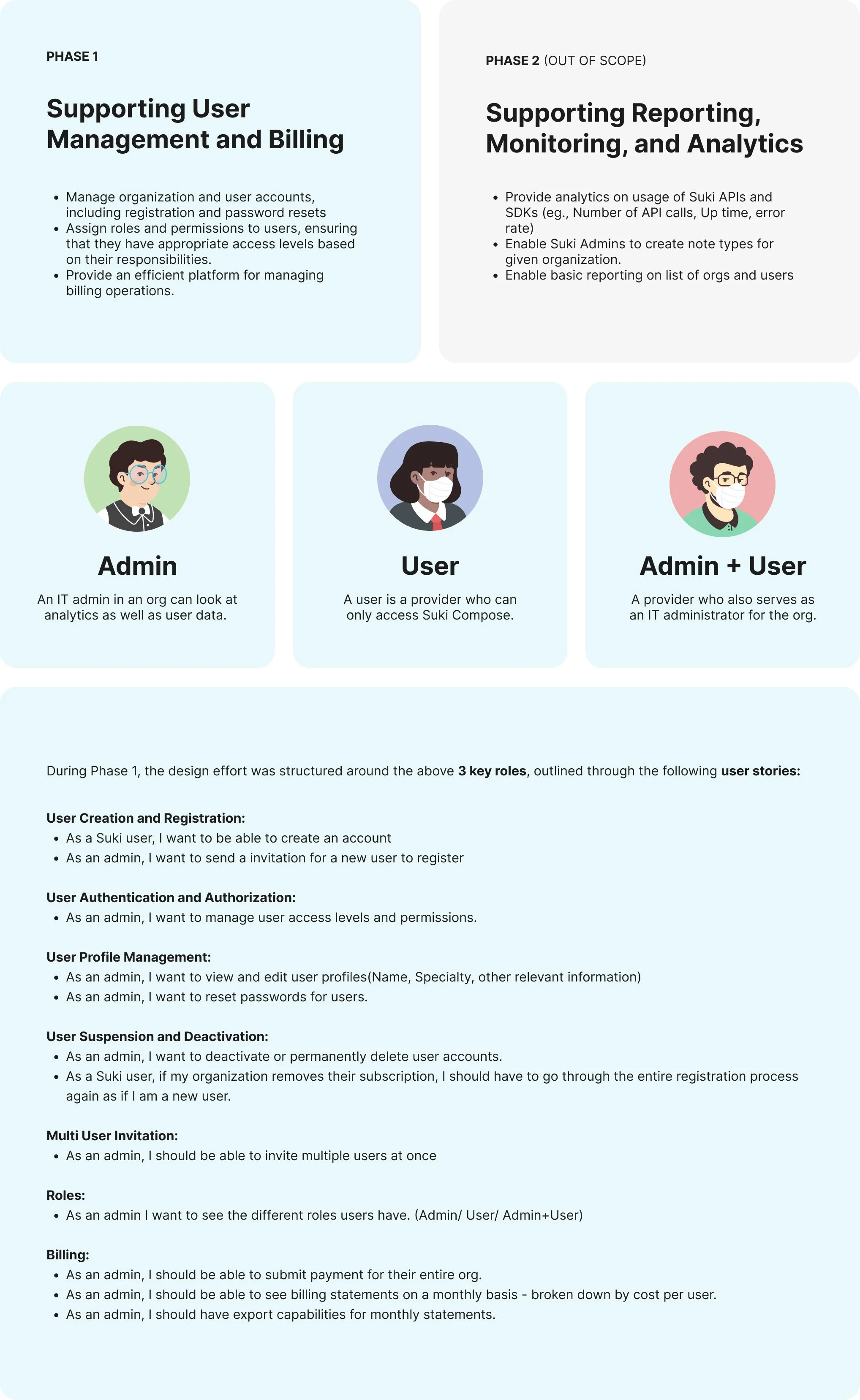
The primary objective of the new admin panel is to give organizations a centralized dashboard for efficiently adding, managing, and monitoring users, as well as submitting payments. The project was designed to be completed in 2 phases, with this initiative focusing exclusively on the scope of Phase 1.
Learning from the standard user management and billing frameworks
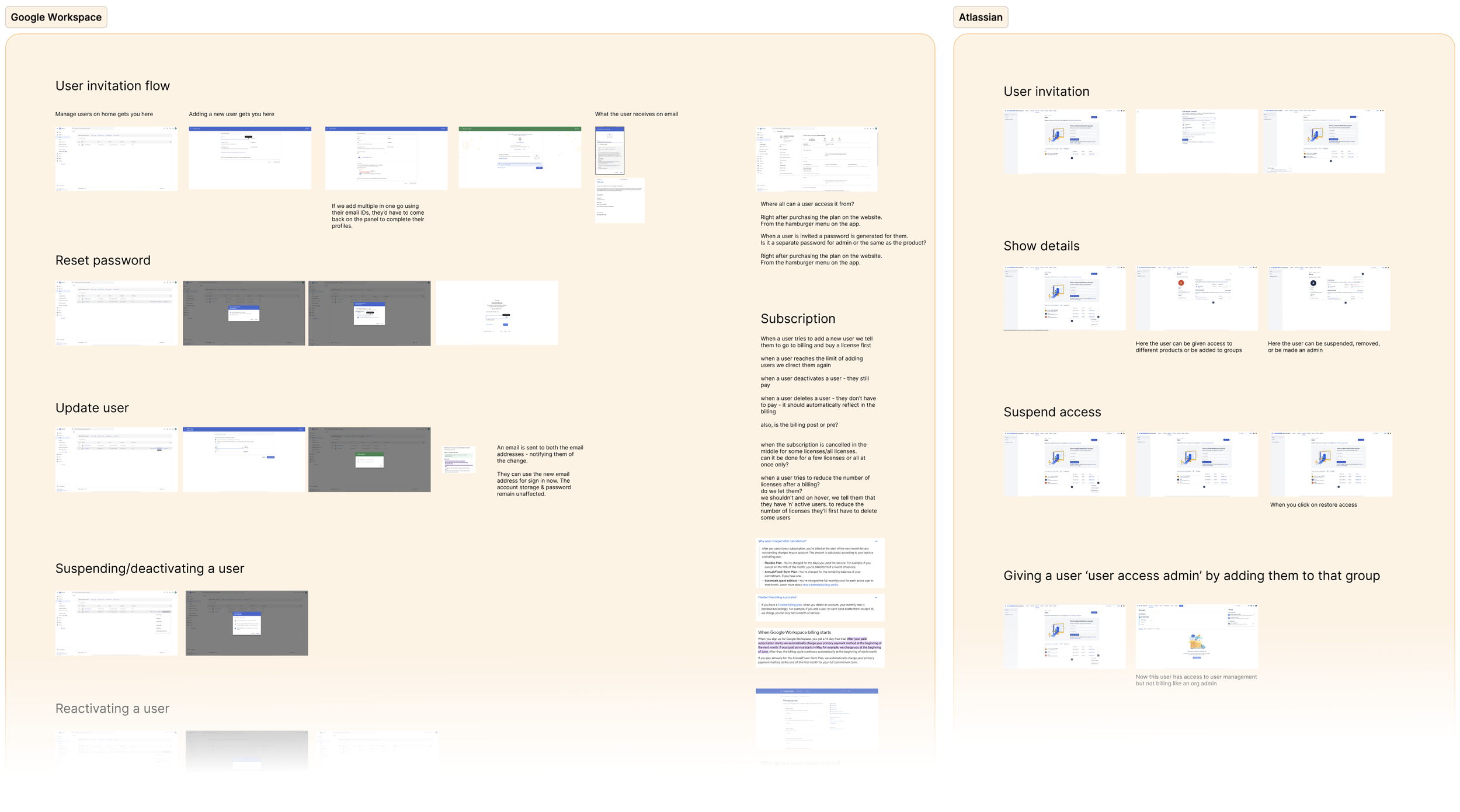
To inform the design of the new Admin Panel, I examined some established enterprise products including Google Workspace, Atlassian, and Outlook. The goal was to understand best practices in user management, permissions, and billing workflows, as well as the underlying information architecture that supports them.
The study followed a structured set of criteria across the following areas:
User Invitation: Invitation flows, invitee experience, and bulk user onboarding
Profile Creation: Admin-managed vs user-managed profile setup
Profile Management: Editable fields, actions, and essential profile information
Deactivation & Reactivation: Lifecycle management of user accounts
Deletion: Account deletion flows and email reuse policies
Password Reset: Admin-controlled password recovery mechanisms
User Roles & Permissions: Role definitions and access control models
Admin Access: Entry points and navigation to the admin panel
Billing: Billing structure, visibility, and admin-facing information
Subscriptions & Licenses: Subscription models and license allocation workflows
Insights from this helped identify patterns and opportunities that directly informed the structure, functionality of the new Admin Panel experience.
Developing the core design direction
Informed by the findings from the earlier Suki panel and comparable products, I created a high-level information architecture that mapped directly to the key user stories.
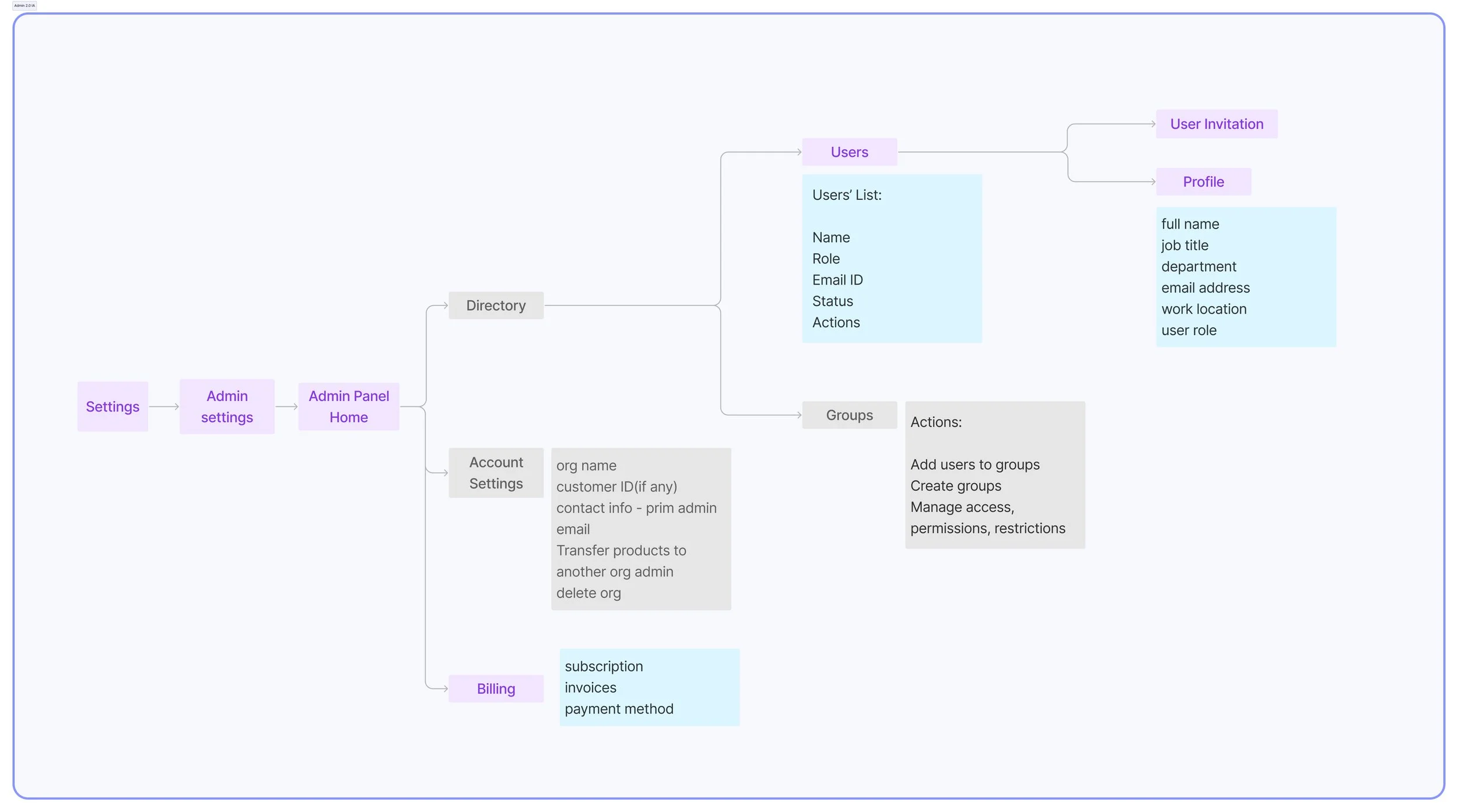
The panel can be accessed in the Suki app settings under “Admin Settings.”
The information architecture is organized into two main sections: Users and Billing.
The Users section encompasses everything from the invite call-to-action (CTA) to user lists and profiles, along with key actions such as managing user roles, resetting passwords, deactivating or deleting accounts, and updating profile information.
The Billing section includes subscriptions, payment methods, and access to invoices.
Items shown in grey in the IA represent elements that were later excluded from the final designs.
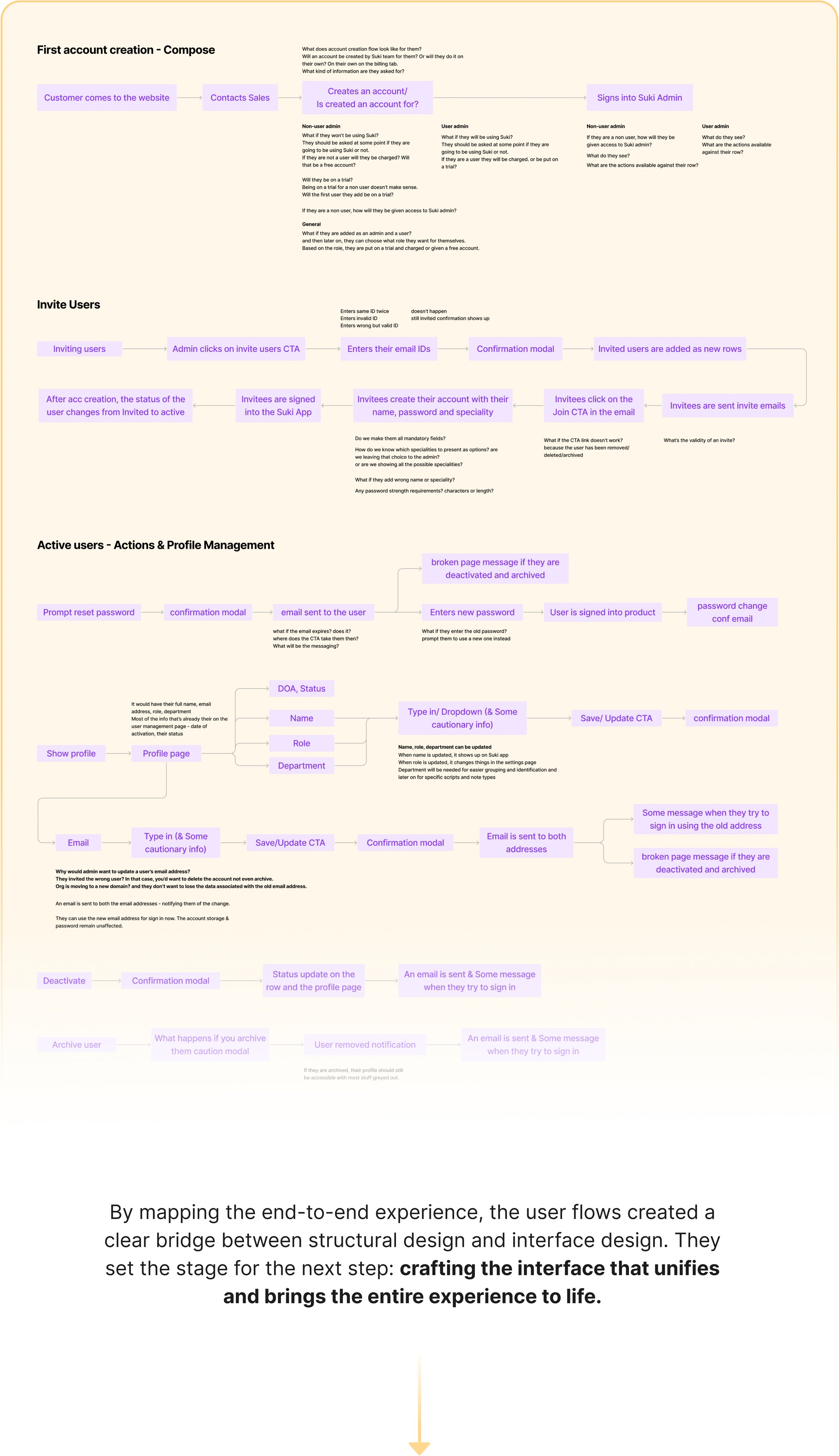
Once the information architecture was defined, I transformed it into a set of user flows to visualize how users would move through the system. The flows were built around key user stories, including registration, authentication and authorization, profile management, account suspension and deactivation, multi-user invitations, and billing. Together, they provided a comprehensive view of the end-to-end experience and served as a crucial bridge between the structural design and the interface design stages.
All New Suki Admin 2.0
Editing User Role Flow